
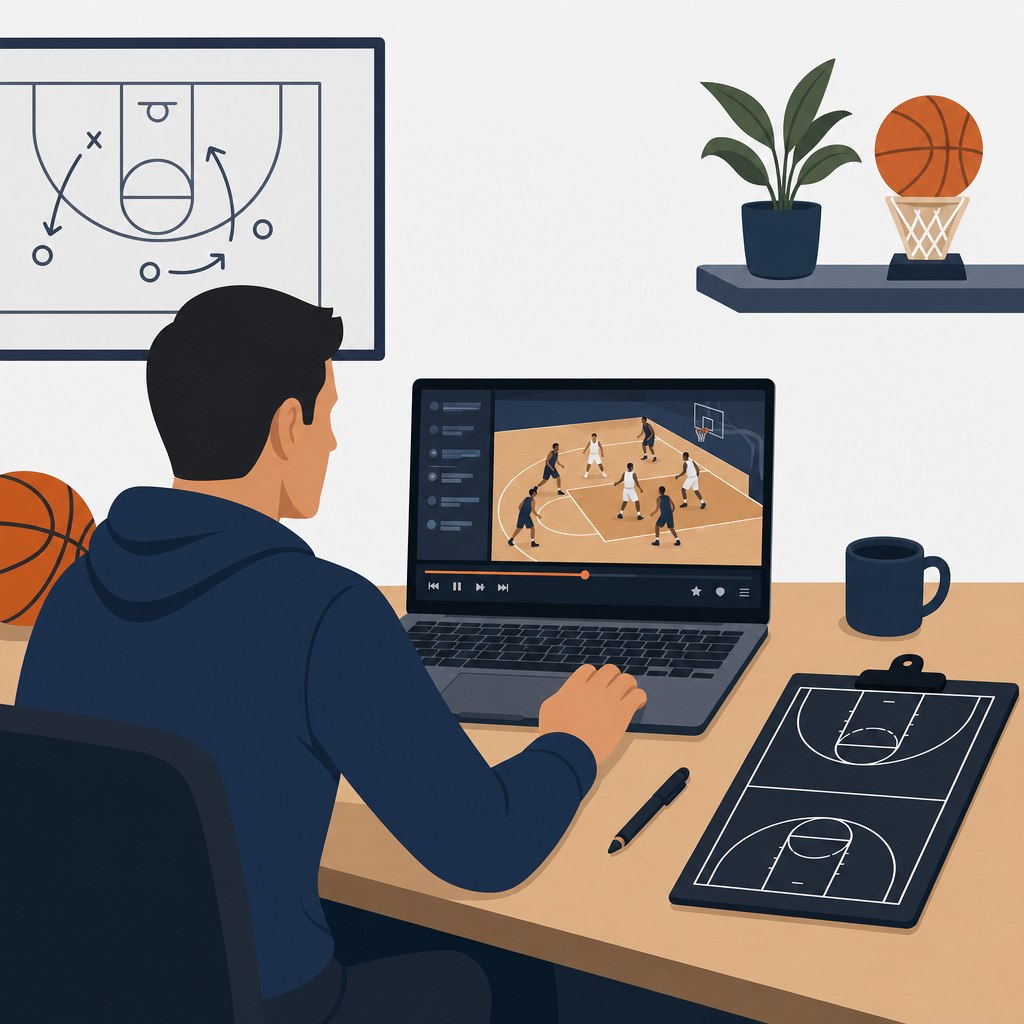
Film study has become one of the biggest competitive advantages in high school basketball, yet many coaches still assume meaningful video analysis requires a large budget, a paid analytics platform, or a full-time staffer. In practice, the opposite is often true. Free film study tools now let high school basketball coaches break down possessions, tag actions, teach decision-making, and build better game plans with nothing more than a phone, a laptop, and a disciplined review process.
When I work with school programs, I define film and analytics in simple terms. Film study is the structured review of game or practice video to improve teaching, preparation, and player development. Analytics is the use of measurable basketball information such as shot location, turnover rate, rebound percentage, points per possession, lineup performance, and action frequency to support coaching decisions. The two belong together. Video gives context to the numbers, and numbers keep film sessions from drifting into opinion.
This matters because high school staffs have limited time. You need tools that shorten the path from recording a game to teaching a correction the next day. Free tools can help you answer practical questions quickly: Why are we giving up corner threes? Which ball-screen coverage is holding up best? Are we actually getting paint touches, or just talking about them? Which lineups defend without fouling? A strong hub for basketball training should treat film and analytics as daily coaching infrastructure, not as optional extras reserved for elite programs.
Used well, free film study tools improve scouting, player accountability, and communication with parents and administrators. They also support internal basketball training content, because every shooting drill, defensive shell segment, transition rule, and special-situations package becomes easier to teach when players can see examples. The key is not having more video. The key is building a repeatable workflow around the right free tools.
What high school coaches should expect from free film study tools
The best free film study tools do four jobs reliably. First, they capture or import video without friction. Second, they allow basic review controls such as pause, rewind, slow motion, and frame-by-frame analysis. Third, they support organization through folders, labels, playlists, or timestamps. Fourth, they make sharing easy so assistants and players can review clips on their own devices. If a tool fails in one of those areas, it usually adds work instead of saving it.
For video capture, most staffs start with a smartphone, tablet, or consumer camcorder. That is enough. A stable tripod matters more than expensive hardware. For review, YouTube unlisted uploads, Hudl-style workflows, Google Drive folders, and simple desktop media players can cover a surprising amount of what a varsity and subvarsity staff needs. For analytics, free spreadsheet tools can track possession-based metrics and shot charts that directly influence teaching. If your baseline technology stack includes a smartphone, Google account, and laptop, you can build a serious film workflow right now.
There are limits. Free tools will not always provide automated tagging, seamless exchange integrations, or advanced lineup databases. They also require staff discipline. Someone has to upload, label, clip, and review. But high school basketball is won by consistent habits, and film work follows the same rule. A modest free setup used every day beats a premium platform used twice a month.
Best free tools for recording, storing, and reviewing basketball film
Start with the recording side. A smartphone camera in 1080p is usually sufficient for team film, especially when placed high enough to see spacing, weak-side help, and transition matchups. The iPhone Camera app and Google Camera are free and reliable. Pair either with an inexpensive tripod and film from midcourt if possible. If your gym layout forces a baseline angle, be consistent so players learn to read clips from that view. Consistency makes comparison easier across games and practices.
YouTube is one of the most overlooked free film libraries for high school coaches. Upload games as unlisted videos, create playlists by opponent or theme, and use timestamps in descriptions to identify segments such as after-timeout possessions, baseline out-of-bounds sets, or second-quarter defensive breakdowns. The playback speed function is especially useful for showing closeouts, help rotations, and footwork errors. Because players already know the platform, access friction is low.
Google Drive is the best free central storage option for many staffs. Use a shared drive structure with folders for Varsity, JV, Freshman, Opponent Scout, Practice Film, Player Development, and Special Situations. Within each folder, name files with a standard format such as 2026-01-14_vs_Central_Varsity_ZoneOffense. Searchability matters. Coaches lose hours every season because file naming is inconsistent. Google Sheets, Docs, and Slides also integrate naturally with Drive, turning one ecosystem into your free film and analytics office.
VLC Media Player remains a standard desktop review tool because it handles nearly any video format, allows playback speed changes, and gives coaches dependable local review without needing an internet connection. I still use VLC when I want assistants to scrub through possessions quickly after exporting clips from a shared folder. It is not glamorous, but it is dependable, and dependable tools are what survive the season.
| Tool | Best Use | Main Strength | Limitation |
|---|---|---|---|
| Smartphone Camera | Game and practice recording | Fast setup and good image quality | Angle depends on gym access |
| YouTube Unlisted | Team film library and sharing | Easy access on any device | Requires careful privacy settings |
| Google Drive | Storage and staff organization | Folder structure and collaboration | Free storage cap can become tight |
| VLC Media Player | Detailed desktop review | Reliable playback controls | No built-in tagging workflow |
| Google Sheets | Analytics tracking | Custom formulas and easy sharing | Manual data entry takes discipline |
Free analytics methods that actually help coaching decisions
Most high school coaches do not need complex analytics. They need a short list of numbers that connect directly to wins, losses, and teaching points. Start with points per possession, turnover percentage, offensive rebound percentage, free-throw rate, and shot distribution. Those metrics align with established possession-based analysis used across basketball and can be tracked manually in Google Sheets. Dean Oliver’s Four Factors still provide a useful framework: shooting efficiency, turnovers, rebounding, and free throws. At the high school level, that model remains practical because it focuses attention on the possessions that swing games.
Shot charts are another high-value free tool. In a spreadsheet, log attempts at the rim, short midrange, long midrange, corner three, and above-the-break three. Then compare makes, attempts, and points per shot. Coaches are often surprised by what they find. I have worked with teams that believed they were attacking the paint, then discovered more than 40 percent of half-court shots were long twos. Once players saw the chart and the matching clips, shot selection improved faster than it would have through verbal reminders alone.
Track defensive breakdowns with equal precision. Instead of writing “bad defense” in a notebook, tag the cause: transition match-up error, late low man, failed nail help, poor closeout angle, offensive rebound allowed, or foul after broken containment. A simple categorized log after each quarter can reveal patterns. If twelve opponent threes came from help on strong-side drives, your problem is not just closeouts. It is drive containment and stunt discipline. Good analytics make film review more honest.
Lineup tracking can also be done for free, even if it is less polished than paid platforms. Record which five start each quarter, who is on the floor during key runs, and what coverages those groups played. Over a month, trends emerge. Sometimes your best defensive unit is not your most talented one. Sometimes a second group creates more paint touches because of better cutting. That information is actionable, especially for rotation planning and late-game substitutions.
How to build a weekly film workflow without adding staff hours
The most effective film programs follow a schedule. Record every game. Upload within twelve hours. Complete a first staff review before school or by prep period the next day. Tag or timestamp no more than three teaching themes for the team and one individual focus for each rotation player. If you try to cover everything, players remember nothing. Film should narrow attention, not scatter it.
On game night, assign one assistant or student manager to upload video to YouTube unlisted or Google Drive before leaving the gym. Another staff member should log basic team stats into Google Sheets. The head coach can then review the first eight to ten possessions of each half to identify repeating issues. By morning, the staff should have one offensive emphasis, one defensive emphasis, and one game-management note. That becomes the backbone of the next practice plan.
For player development, create short personalized playlists rather than sending full games. A guard does not need to rewatch every possession to learn from three poor pick-and-roll reads and two excellent pace changes. A post player gains more from six clips on sealing early and finishing through contact than from a forty-minute file. Short clip collections increase compliance because athletes will actually watch them.
Practice film deserves equal attention. Many high school staffs only film games, but practice video often produces faster improvement because corrections happen immediately. Film five-minute segments of shell drill, transition defense, or live ball-screen coverage. Review them on the spot with a tablet or later with the team. When players see a missed tag, a flat closeout, or poor spacing in a controlled setting, learning accelerates.
Teaching players to use film, not just watch it
Players often sit through film sessions passively unless coaches teach them how to study. Give them a lens. Ask specific questions before showing a clip: Where is the low man? What should the weak-side corner do here? What is the first available pass against this hedge? Direct prompts turn film into active learning. Without those prompts, film becomes entertainment or punishment.
Use pause points intentionally. Freeze the screen before the action resolves and ask players to predict the best read. This strengthens pattern recognition and transfer to live play. I have seen this work especially well with younger guards learning to read drop coverage and with wings learning when to cut behind ball watching defenders. When players can verbalize the read before the clip continues, they are more likely to execute it in games.
Keep team sessions short and position meetings even shorter. Twelve focused minutes before practice can be more effective than a thirty-minute lecture. For individuals, ask players to submit one written takeaway from their clips. The point is not paperwork. The point is ownership. If a player can identify, in plain language, why a turnover happened or why a closeout failed, correction becomes more durable.
Film should also capture positives. Coaches who use video only to highlight mistakes lose player attention over time. Show examples of successful gap help, second efforts on the glass, quality extra passes, and smart clock management. Positive clips define the standard just as clearly as negative ones. They also create buy-in, which is essential when you want athletes to review clips outside the gym.
How this hub connects film study to the rest of basketball training
Film and analytics should sit at the center of your broader basketball training system. Shooting work becomes more targeted when film shows whether misses come from rushed footwork, poor shot profile, or late-clock possessions. Ball-handling drills improve when clips reveal that turnovers are caused by pickup points and weak-hand exits rather than loose dribbling in isolation. Defensive training gets sharper when shell drill emphasis matches actual game breakdowns instead of generic assumptions.
This hub should also connect naturally to scouting, skill development, practice planning, and performance review. Opponent scout pages can branch from the film library through playlists on transition habits, baseline out-of-bounds sets, favorite ball-screen actions, and zone alignments. Player development pages can branch through clip banks sorted by finishing, passing, shot prep, closeouts, help defense, and rebounding habits. Practice planning content should connect each drill to a film-verified need. That internal structure helps coaches move from observation to action.
The main benefit of free film study tools is not that they replace premium software. It is that they remove excuses. Any high school basketball coach can record games, organize clips, track core efficiency numbers, and teach players with visual evidence using tools that cost nothing. Start with a phone, Google Drive, YouTube, VLC, and a shared spreadsheet. Build a naming system. Choose a small set of metrics. Review film on a weekly cadence. If you do that consistently, your teaching becomes clearer, your scouting becomes sharper, and your basketball training program becomes far more effective. Pick one tool today, set up your workflow, and make film study part of every week.
Frequently Asked Questions
1. What are the best free film study tools high school basketball coaches can start using right away?
The best free film study tools are usually the ones that remove friction and help coaches review video consistently. For most high school basketball programs, that starts with tools already available on a phone, laptop, or common cloud platform. YouTube’s unlisted video feature is one of the easiest ways to upload and share game film privately with players and assistants. Google Drive and Dropbox are useful for organizing full games, practice clips, scouting edits, and player-specific teaching libraries without needing a paid breakdown platform. Hudl often dominates the conversation, but coaches should not overlook free options like basic video trimming in iMovie, Windows Clipchamp, or built-in phone editing apps for creating short teaching clips quickly.
Free screen recording tools are also incredibly valuable. A coach can record clips from a laptop screen, pause possessions, and talk through reads, defensive rotations, transition mistakes, or late-game execution. Google Sheets or Excel can function as a manual tagging system for possessions, ball-screen coverage, transition defense, turnovers, shot quality, rebounding effort, and lineup notes. That may sound simple, but simple is often what works best at the high school level. If a coach can consistently label what happened, when it happened, and why it mattered, that coach is already building a film workflow that most teams never fully establish.
Another overlooked free resource is shared cloud-based note-taking. Google Docs, Notion free plans, and even team group chats can be used to distribute film assignments, create opponent tendency reports, and collect player reflections after games. The key is not chasing the most advanced software. The key is building a repeatable process using free tools that support clip storage, fast review, easy communication, and clear teaching. A phone for recording, a cloud folder for organization, a basic editing tool for short clips, and a spreadsheet for tracking patterns can produce real competitive advantages when used with discipline.
2. How can a high school basketball coach break down game film effectively without a paid analytics platform?
A paid analytics platform can save time, but it is not required to do meaningful film breakdown. Coaches can create a highly effective manual system by focusing on a few categories that actually impact winning. Instead of trying to tag everything, start with core areas: transition offense, transition defense, half-court execution, turnovers, shot selection, rebounding, and defensive communication. Watch the game once straight through for flow and feel. Then watch it again with a notebook, spreadsheet, or shared document and log each possession by quarter, time stamp, action, and outcome. That process alone often reveals patterns that are easy to miss in real time.
For example, a coach might log every pick-and-roll possession and note whether the team created a paint touch, forced a switch, turned it over, or settled for a contested jumper. On defense, the coach might track whether breakdowns came from poor closeouts, weak-side help, transition matchups, or missed box-outs. This is exactly the kind of information that helps a staff game plan more effectively and teach more precisely. You do not need expensive software to recognize that your team struggles to defend dribble penetration after missed shots or that your offense produces better looks when the ball reaches the second side.
The most effective coaches keep the breakdown process practical. Build a coding system with abbreviations that are easy to review later. Use color coding in a spreadsheet for good possessions, empty possessions, defensive stops, and breakdowns. Clip only the most teachable sequences rather than every possession. Then turn those clips into categories such as “great help defense,” “poor end-of-quarter execution,” or “excellent transition decisions.” Over time, this creates a searchable teaching library. A free system may take more manual effort, but it often makes coaches sharper because they are forced to define what they value and identify what actually shows up on film.
3. What should coaches look for during basketball film study to make it useful for player development?
The biggest mistake coaches make with film study is treating it as a replay of mistakes instead of a tool for building better decisions. Useful film study should focus on habits, reads, and repeatable behaviors more than isolated makes and misses. For player development, coaches should study decision-making first. Did the point guard recognize help coverage early? Did the wing attack a long closeout or hold the ball? Did the post seal with timing? Did the defender stunt and recover correctly? These moments matter more than whether a tough shot happened to go in.
Film is especially powerful when coaches connect it to teachable cues. Instead of telling a player, “You need to play better defense,” show three clips that illustrate stance, angle, early help, and communication. Instead of saying, “Take better shots,” show the difference between a rushed pull-up against a set defense and a rhythm catch-and-shoot created by paint penetration. Players improve faster when the coach uses film to define what winning basketball looks like in concrete terms. That means highlighting not only errors, but also examples of correct reads, strong effort plays, and possessions where execution created an advantage even if the shot did not fall.
Coaches should also look beyond the ball. Some of the most important development clips involve spacing, screening angle, weak-side positioning, sprinting back in transition, tagging rollers, and boxing out before the rebound appears. Those details often separate average teams from disciplined teams. A strong film session teaches players how to see the game one step ahead. When coaches repeatedly emphasize spacing, timing, communication, and decision quality, film study becomes a development tool instead of a blame session. That is when players begin to internalize patterns and carry them into games.
4. How often should high school basketball coaches use film study with their team?
Film study works best when it is consistent, short enough to hold attention, and tied directly to upcoming practice or game goals. For most high school teams, two to four film touchpoints per week is a realistic and effective rhythm during the season. That does not mean every session has to be a long team meeting. In fact, shorter sessions are often more productive. A 10- to 15-minute pre-practice clip review focused on one or two themes can create immediate carryover on the floor. A longer session after games or before major opponents can be useful, but players usually retain more when the message is targeted and actionable.
Individual and small-group film is just as important as team film. Guards may need clips on pick-and-roll reads, pace, and pressure management. Post players may need clips on rim runs, seals, and defensive positioning. Wings may need help understanding shot preparation, gap help, and cutting timing. Free tools make this easier because coaches can send short clip collections through shared drives, unlisted links, or team communication apps. Players do not need a 45-minute film session to improve. Often, three well-selected clips with a clear coaching point are enough to change a habit.
The best schedule is the one a coach can sustain. If a program only uses film after losses, players start associating video with punishment. If film becomes part of the weekly routine, it becomes normal, instructional, and expected. Coaches should build a cadence such as post-game review for staff, next-day team clips, position-specific follow-ups, and opponent prep before the next game. The exact frequency can vary based on schedule, but the principle stays the same: regular, focused film study creates smarter players and more efficient practices.
5. How can coaches get players to actually engage with film study instead of tuning out?
Player engagement improves when film sessions feel relevant, interactive, and tied to winning. The fastest way to lose a team is to make film too long, too negative, or too vague. Players tune out when they feel like they are being lectured without a clear reason. They lean in when they understand exactly what they are supposed to learn. Start by keeping clips short and purposeful. Group them around a specific question such as “How did we create our best paint touches?” or “Why did we struggle to match up in transition?” This gives players a framework for what they are watching.
Another effective strategy is asking players to identify the answer before the coach gives it. Pause a clip and ask, “What is the read here?” or “Where should our low man be?” That turns film into active learning rather than passive viewing. Coaches can also assign positional film responsibilities. Let a point guard present two clips about pace and decision-making. Let a center identify examples of early help and box-out technique. When players are part of the teaching process, they become more invested in the film itself. Free tools make this easier because coaches can share clips in advance and ask players to comment or take notes before practice.
It also helps to balance correction with reinforcement. Players need to see mistakes, but they also need to see themselves doing things right. Highlighting strong habits builds buy-in because it shows players what the staff values. A great film culture is not built around embarrassment; it is built around clarity and accountability. When coaches consistently use film to make players smarter, more confident, and better prepared, engagement rises naturally. Players begin to understand that film is not extra work. It is one of the quickest ways to earn minutes, improve performance, and help the team win.